On the occasion of this jubilee,
all members may install Klasse 5 for free.
|
NEV celebrates its 180th anniversary !
On the occasion of this jubilee, all members may install Klasse 5 for free. |
Here you can download the latest version of Klasse.
After entering your name and email address you will be able to download the Klasse Installer.
Running the Installer program on your computer will install the Klasse software.
On a separate page you can find an overview of the improvements realised in each version.
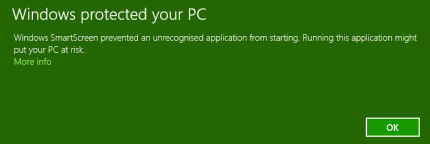
Click on More Info and a button will appear:
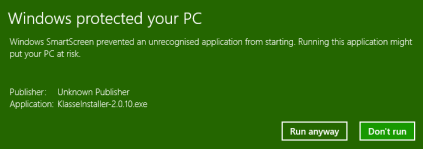
Ignore the warning by clicking Run anyway.
Next, you should tell Windows to allow the Installer to make changes to your computer.
After starting the Installer this message will appear:
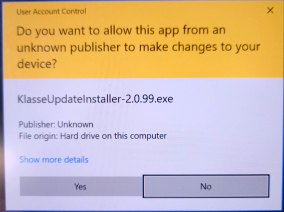
Click on Yes to allow the Installer to make changes to your computer.
Now the Installer will show the following message:
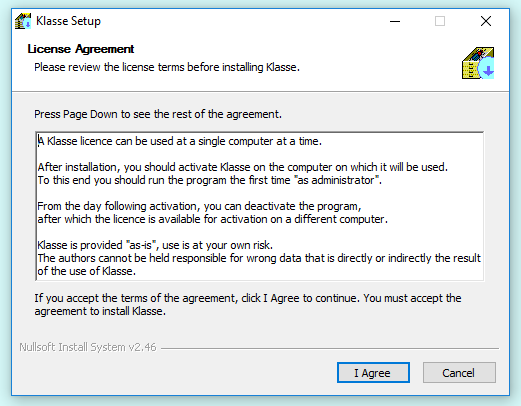
The next steps in the installation process are self-explaining.
You will have to click on I Agree, Next, Install and Close.
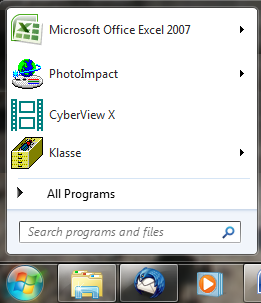
Klasse now has been installed on your computer: you will find the Klasse icon in the Start menu and on your desktop.